
IRLSlots never holds your money. When a brand wins your auction, the payment goes to your own Stripe account, and Stripe sends it to your bank. To make that possible, you connect payouts once. You need it before you can publish your first placement.
It takes about 5 minutes if you have your ID and bank details ready.
What you'll need
- your legal name and date of birth,
- your home address,
- a phone number from your country (Stripe sends a code),
- your bank account details,
- in some countries, a photo of an ID document.
In Japan, Stripe also asks for your name and address in katakana and kanji. That's a Stripe requirement for Japanese accounts, not ours.
Step 1 — Open the payouts page
Click your avatar in the top-right corner → Payouts, or click Set up (2 min) in the yellow bar inside the listing form. You can also go straight to /settings/payouts.
Step 2 — Choose your country
Pick the country where you live, pay tax and have your bank account. Then click Set up payouts with Stripe.
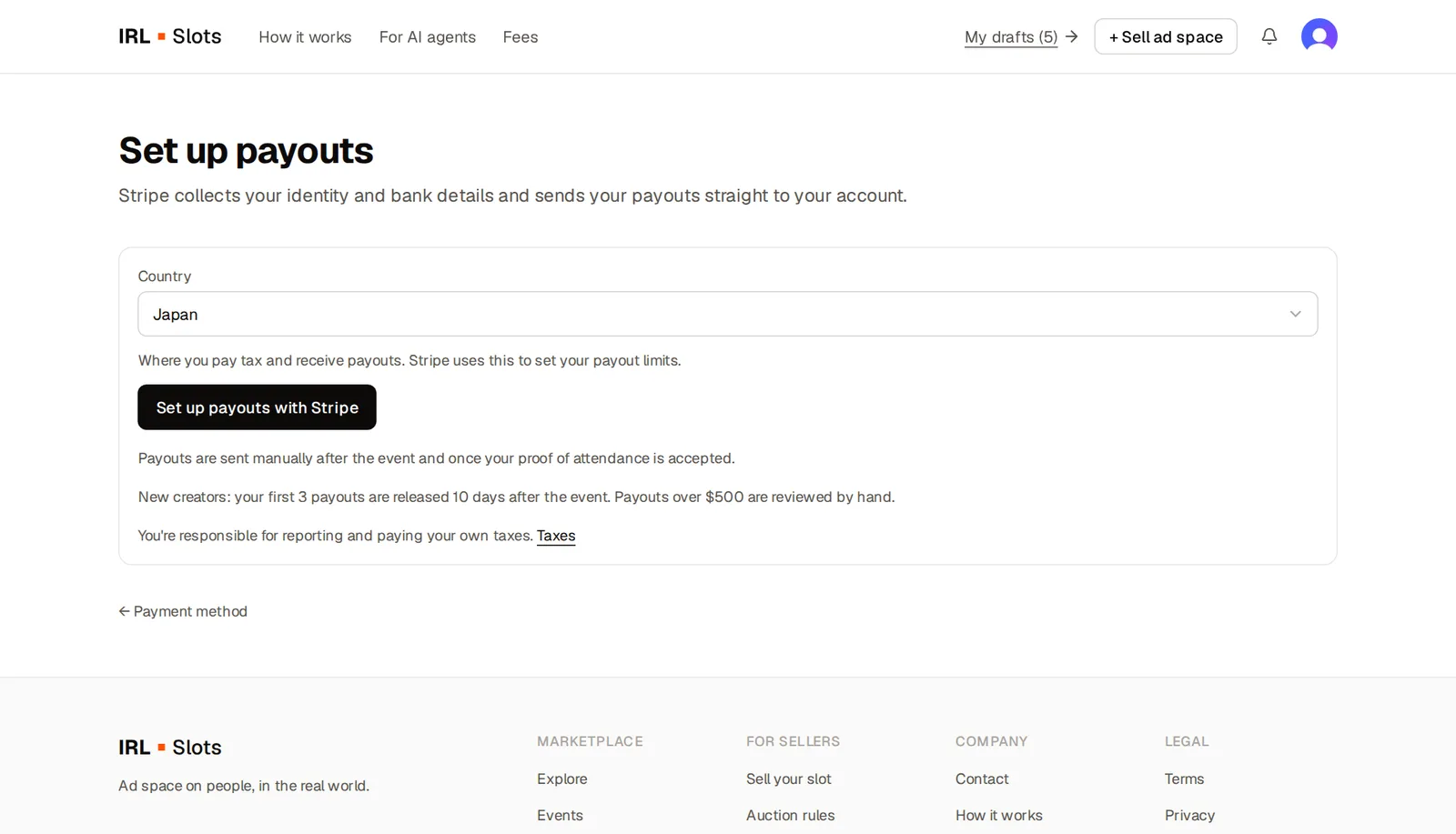
Choose carefully: once the account is created, its country can't be changed. If you pick the wrong one, contact support.
Step 3 — Fill in the Stripe form
You're now on a secure Stripe page with the IRLSlots name at the top. Stripe asks, one screen at a time:
- Email and phone — Stripe sends a verification code.
- Personal details — legal name, date of birth, home address.
- Bank account — where your money will be paid out.
- Review and accept Stripe's terms.
Stripe collects this information directly — IRLSlots only stores your account ID, country, currency and status.
Step 4 — Come back to IRLSlots
When you finish, Stripe sends you back automatically — usually right to the draft you were working on. On the payouts page you'll see one of these statuses:
- Active — you're ready. Publish your placement.
- In review — everything is submitted and Stripe is checking it. Usually minutes, sometimes a day or two.
- Action needed — Stripe needs something else. The page lists exactly what (for example Bank account or Date of birth). Click Continue setup with Stripe to finish.
If you stopped halfway
No problem. Open /settings/payouts and click Continue setup with Stripe — the form opens where you left off.
When do I get paid?
After the event you post the proof you promised. When the advertiser accepts it (or automatically 7 days after you post it, if they don't respond), we send the payout to your Stripe account, and Stripe sends it to your bank.
New creators: your first 3 payouts are released 10 days after the event, and payouts over $500 are reviewed by hand. This protects everyone from fraud while your account builds a history.
More details: How to deliver proof and get paid.
Taxes
Money you receive is your income. You're responsible for reporting and paying your own taxes. Stripe may ask for tax information when the law requires it.
Set up payouts